Choose Tools by What You Want to Do
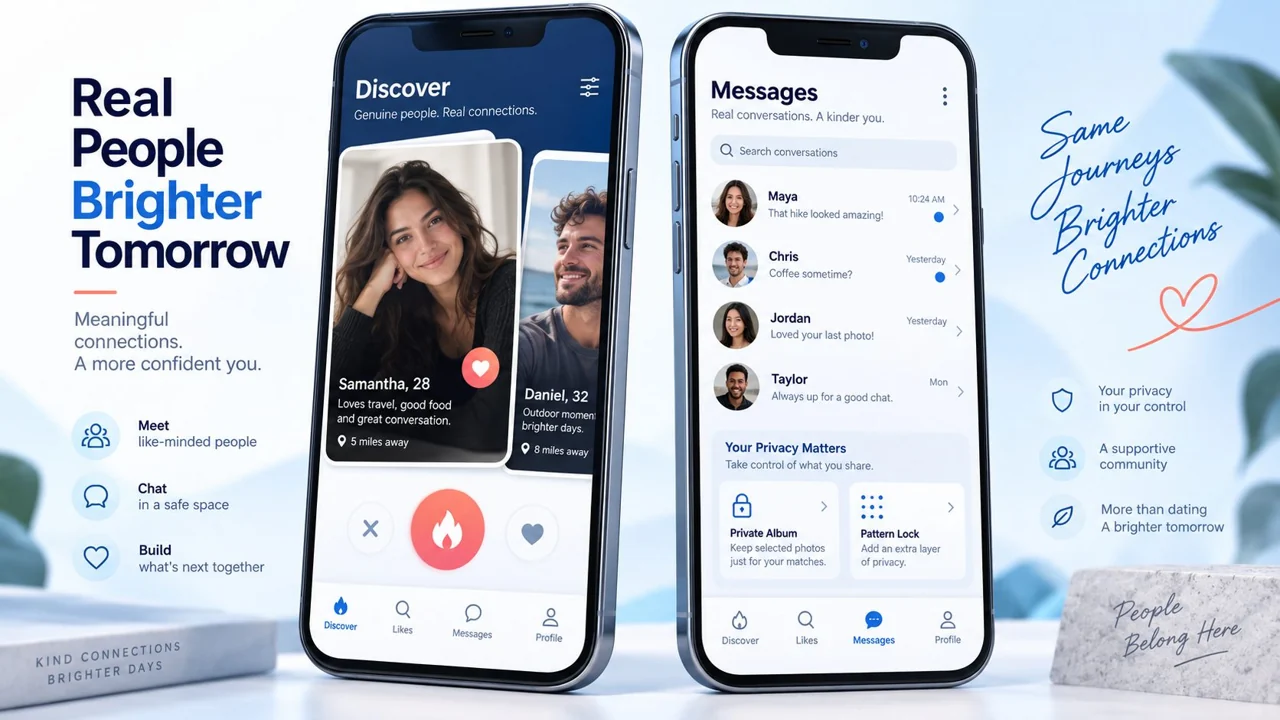
PositiveSingles can be used through its website and mobile apps. The tools support different tasks: a profile introduces you, discovery helps you notice people, conversation gives you a chance to understand them, and privacy settings control parts of your visibility. None of those tools replaces compatibility or informed consent. This hub connects the product guides so you can read the detail relevant to your next action.
If you are deciding which screen to use, start with website versus app. The app overview describes the mobile experience and offers direct platform choices. The iPhone and iPad guide and Android guide keep store-specific download and billing information separate.
Profiles, Search and Flame
A PositiveSingles profile should make it easier for someone to begin a real conversation. Public photos and a short bio are not medical records, and a verified photograph is not a verified health history. The profile guide explains how to separate a welcoming introduction from identifying information that does not belong on a dating page.
Flame provides a quick like-or-pass discovery route. Search is the more deliberate companion when location and preferences deserve attention. One favors an initial impression; the other gives you a reason to look more closely. Use both as ways into a profile, not as evidence that a person is compatible because the software displayed them.
Private Photos and Account Controls
The Private Album guide explains requests, selective sharing and revoking access. Granting access is a choice, not a requirement to prove interest. A private album also differs from a fully hidden public profile: one controls selected images, while the other concerns broader visibility.
The safety and privacy guide connects photo controls, visible profile details, notifications, blocking and reporting. Some settings are membership-dependent or vary by interface. It is important to know which screen you are using and what a control actually hides. Removing access cannot retrieve a copy someone previously saved.
Membership Is About Access, Not Different People
The membership guide separates Standard and Premium capabilities. Free profile creation lets you begin; broader messaging and discovery controls may make a paid plan relevant later. The price comparison explains total charges and billing periods, while the free-access guide clarifies the useful things you can try before subscribing.
For the full account-to-conversation workflow, read how to use PositiveSingles. Product visuals on this site are editorial illustrations, not screenshots of your future account, member identities or guaranteed features. The actual service may look different as releases change. Join or download through the approved buttons when the community and tools answer a real need; you do not have to buy access merely to understand the options.
Explore Apps and Account Tools
PositiveSingles App Overview
Open the guide for positivesingles app overview and the practical details behind this topic.
PositiveSingles iOS App Guide
Open the guide for positivesingles ios app guide and the practical details behind this topic.
PositiveSingles Android App Guide
Open the guide for positivesingles android app guide and the practical details behind this topic.
PositiveSingles Website or App
Open the guide for positivesingles website or app and the practical details behind this topic.
How to Use PositiveSingles: Website and App Guide
Open the guide for how to use positivesingles: website and app guide and the practical details behind this topic.
How to Create a Strong PositiveSingles Profile
Open the guide for how to create a strong positivesingles profile and the practical details behind this topic.
PositiveSingles Private Album Guide
Open the guide for positivesingles private album guide and the practical details behind this topic.
How PositiveSingles Flame Works
Open the guide for how positivesingles flame works and the practical details behind this topic.
PositiveSingles Membership and Features
Open the guide for positivesingles membership and features and the practical details behind this topic.
PositiveSingles Safety and Privacy
Open the guide for positivesingles safety and privacy and the practical details behind this topic.