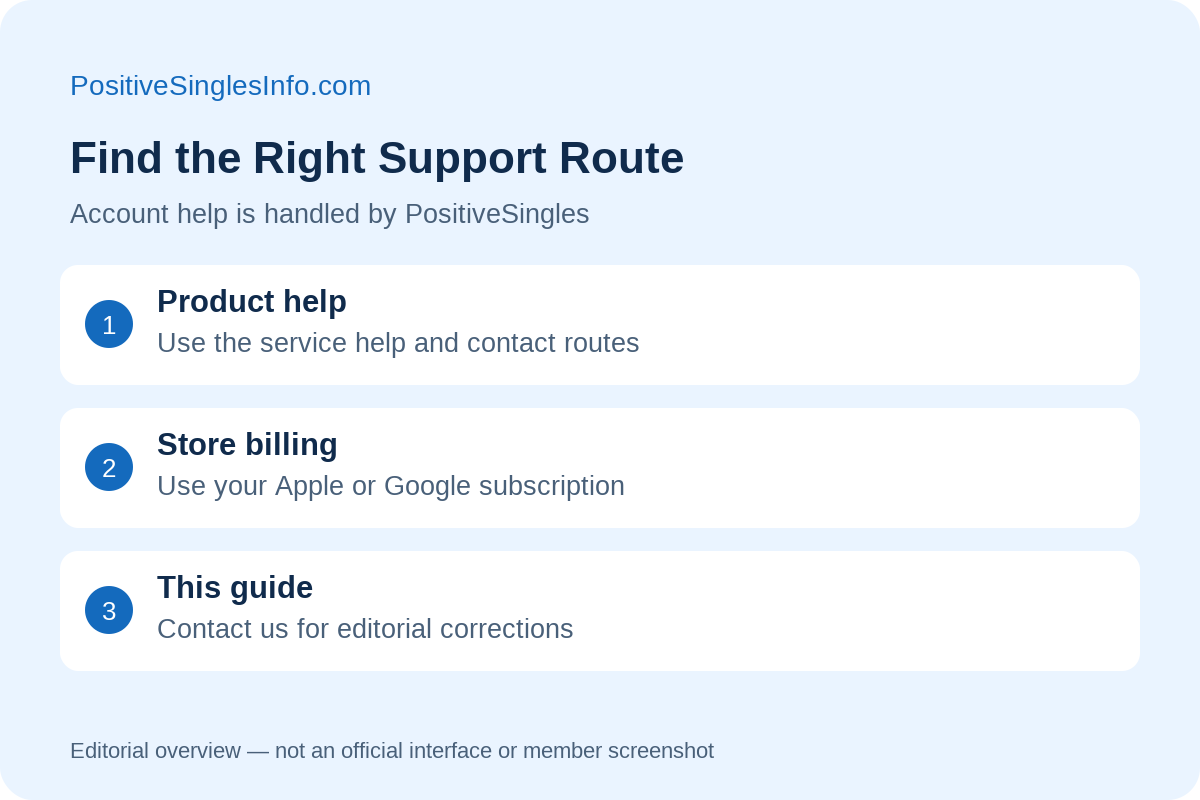
Choose the Support Route That Matches the Issue
Account access, payment questions, technical bugs and safety reports usually need different details. Before contacting official support, write a short timeline, note the email attached to the account and save non-sensitive evidence such as dates or receipts. Do not send a password, verification code or full financial information.
The login guide covers safer first steps when the issue is account access.
Describe the Problem So It Can Be Investigated
Include what happened, when it happened, the device or browser used and what you already tried. For a billing question, identify the transaction through a receipt rather than posting card details. For a safety concern, use in-service reporting and blocking tools where available, then explain the behavior factually.
Read the privacy and safety guide for boundaries around suspicious contact.
Keep a Record of the Resolution
Save confirmation emails and note any cancellation or renewal date that matters to you. If a reply asks you to pay elsewhere, share a code or leave the official service, stop and verify independently. The FAQ can answer common account questions before you submit a request.
Who Can Help with Which Problem?
| Issue | Responsible Service | Useful Information |
|---|---|---|
| Dating account or messages | PositiveSingles | Account identifier, error and affected action. |
| Apple-billed subscription | Apple subscription controls and support | Apple receipt and subscription record. |
| Google Play purchase | Google Play billing tools | Store transaction reference. |
| Article correction on this site | PositiveSinglesInfo.com | Page URL and inaccurate sentence. |
Prepare a Request That Can Be Reproduced
Describe the expected action, what happened instead and whether it occurs on web, iOS or Android. Include the relevant error text and a cropped screenshot that does not expose another member’s photos or messages. A report saying “the app is broken” is difficult to investigate; “the album-access action fails on this device after tapping approval” is much more useful. Never include a password, full card number or one-time login code.
Keep Billing and Profile Deletion Separate
Stopping a subscription, deleting an app and deleting a profile are different actions. Find the billing provider on the receipt before cancelling. The cost guide explains why term totals and renewal records matter; the iOS guide and Android guide explain their respective store routes. If a refund is requested, state the transaction and reason without assuming approval or a processing deadline.
A Safety Report Is Not a Customer-Service Dispute
If a member pressures, threatens or impersonates someone, use the service’s block and report controls and preserve the relevant evidence. Immediate danger requires local emergency assistance rather than waiting for an account-help reply. The safety guide explains that distinction. For editorial questions on this independent information site, use our contact page; we cannot access dating accounts or change a subscription.
Keep the Follow-Up Focused
Reply within the same support thread when possible and state whether the suggested step changed the problem. Do not send multiple conflicting versions of the issue or include another member’s private information unnecessarily. Keep your own transaction or account records until the issue is resolved. This makes a follow-up easier to understand without creating additional exposure.
Examples of a Useful Support Request
The examples below are fictional message outlines, not real member cases. They show how to give support enough information to investigate without sending a private conversation or your health history.
When Sign-In Stops Working
“I can open the sign-in page, but after submitting my details I receive this error. It began on this date. I am using this browser and device. The same account worked previously.” Add the exact error wording if it contains no sensitive information. Do not include your password. If the problem occurs only in an app, name the platform and app version shown on your device rather than report that the entire service is down.
This description separates a page-loading problem, a credential problem and an account-status question. Those may need different investigation. If you have already tried a password reset, explain whether you received the message and whether the link opened; do not forward a usable reset link to an unrelated person.
When a Charge Looks Unexpected
“I see a charge on this date for this amount and currency. The receipt identifies this billing provider. I expected this subscription term. Please explain which account or renewal this charge relates to.” Use the transaction reference requested by the legitimate support channel, not a full payment-card number. A store receipt directs you to a different billing record from a website checkout receipt.
If your aim is to stop a future renewal, say that clearly. If you are disputing an earlier charge, describe that separately. Cancelling a subscription, deleting a profile and asking about a refund are not interchangeable requests. Keep the response so you can see exactly which action was confirmed and which question remains unanswered.
When Another Profile Concerns You
Report the relevant profile through the service’s reporting route and describe the behavior: a request for money, repeated unwanted contact or an impersonation concern. Focus on what happened rather than speculate about a person’s diagnosis or motives. If a message matters as evidence, preserve it privately and follow the support channel’s instructions about what to submit.
Customer support cannot promise another person will be interested in you, and a report is not a way to punish someone for declining a date. It is useful when there is a conduct or account concern. Immediate threats or emergencies require appropriate local help rather than waiting for an ordinary customer-service reply.
Following Up on an Existing Case
Keep the original subject or case reference when one is provided. Add what changed since the last response and answer any questions support asked. Opening several separate requests with different descriptions can make it harder to connect the facts. If the answer addresses only part of your concern, state the remaining question in one clear sentence.
PositiveSinglesInfo.com can correct an explanation in this guide. It cannot access your member account, reverse a charge or resolve a report about another profile. Keeping that boundary clear helps you reach the people who can actually act on your request.